This blog post is based on the presentation given by Benjamin Schumann, a simulation expert with over 15 years of experience, at the AnyLogic Conference 2025.
Simulation modeling is very often about solving complex problems. Anyone who has built multiple models knows that the focus is not just on how accurately you make your models but also on how efficiently. Writing the same helper code repeatedly, debugging similar types of errors, or reorganizing model structure can quietly consume a lot of time.
At the AnyLogic Conference 2025, Benjamin Schumann shared a simple yet powerful idea. Instead of relying entirely on external tools or starting every project from scratch, modelers can improve their productivity by building their own simulation toolkit inside AnyLogic.
In this blog, let’s explore what lies behind the idea of a mindset for building simulation toolkits and what the best simulation practices are.
Contents:
- What is the mindset behind building simulation toolkits?
- Build habits that improve model structure
- Small changes, great impact
- Catch problems early
- Create your own utilities
- Always work with clean data
- Take it further with a custom library
- FAQ
- Model smarter, not harder
What is the mindset behind building simulation toolkits?
Many people start simulations with one clear goal: answer one question, solve one problem, build one model. That is a natural place to begin. But over time, the real value of simulation often comes from building something you can use again, adjust, and expand when new questions appear. This is what we mean by a mindset for making simulation toolkits.
Instead of treating every model as a separate task, this approach is about creating simulation tools that stay useful beyond one project. It means building models in a way that makes them easier to update, reuse, and share with others.
Build habits that improve model structure
A powerful simulation toolkit is not only about code. It is also about establishing consistent modeling habits. As the saying goes, “One apple a day keeps the doctor away.” The same applies to simulation modeling. Build proper habits at the beginning of your modeling path, and it will constantly improve your model's structure.
One such useful practice is creating a separate template structure for agent types. Each new agent can begin with a brief description of its purpose, followed by organized sections for parameters, variables, and functions. This approach makes models easier to navigate and understand for your later self and your coworkers.
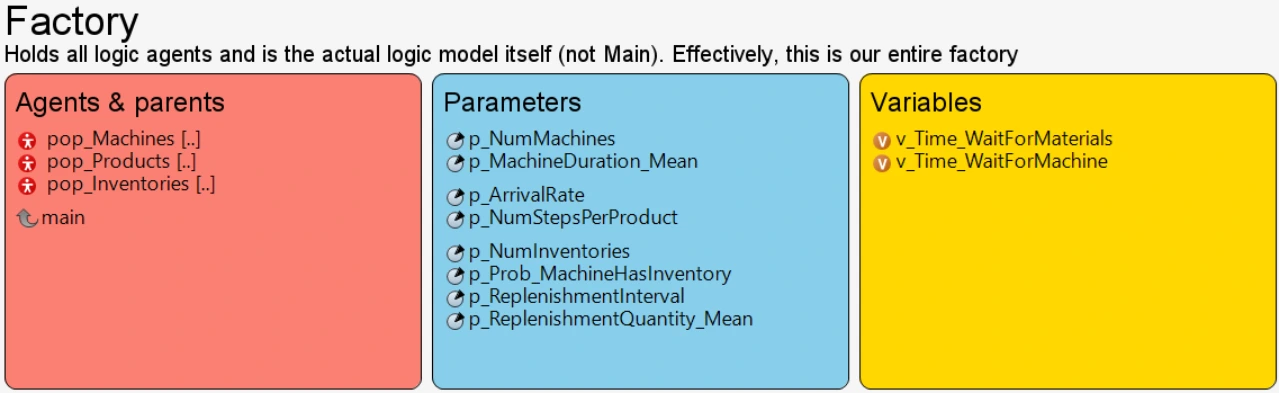
Another good habit is centralizing initialization logic in dedicated setup functions. Instead of scattering initialization code throughout the model, these functions handle setup tasks and run validation checks in a single place.
Although these habits require little effort to implement, they contribute greatly to the development of maintainable models and represent important simulation best practices.
Want to learn more about the best simulation modeling habits? Check out this blog post with 6 tips for simulation project success.
Small changes, great impact
Becoming a toolmaker also doesn’t begin with advanced frameworks or complex libraries. It might start with something simple: better debugging habits.
One of the simplest and most powerful tools available in AnyLogic is the traceIn() function. At its core, it prints text into the console. Yet this small feature can become incredibly powerful when used consistently. By tracing agent actions, block exits, or parameter values, you can create a timeline of events inside your simulation and quickly understand what the model is doing at any moment.
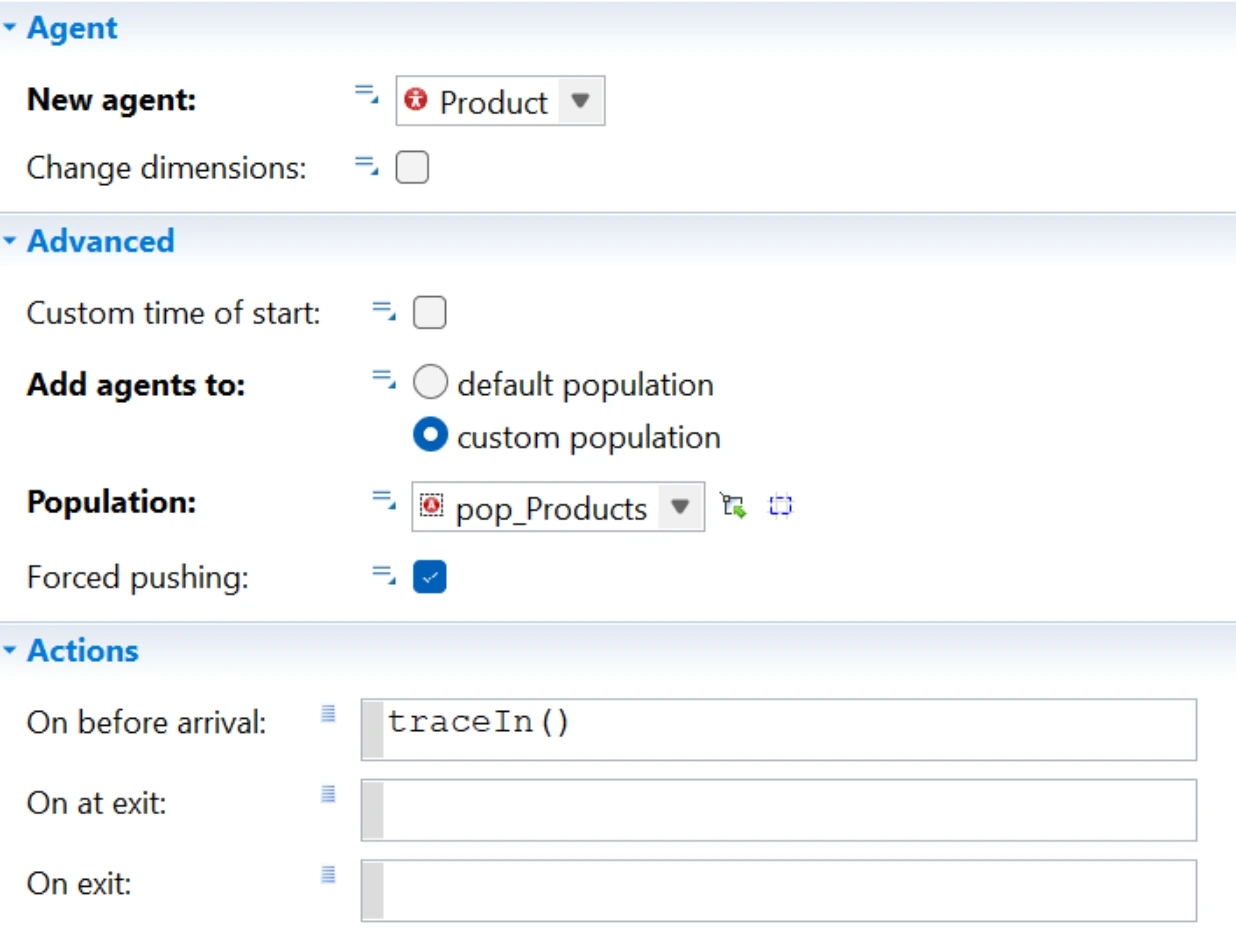
Over time, these trace messages can evolve into a structured debugging system. They can be categorized as informational notes, warnings, or errors. Messages can include formatted outputs or color coding.
While AnyLogic's built-in debugging tools are very useful, experienced modelers tend to rely on trace logging for quick insight into model behavior during runtime. As part of a broader simulation toolkit, this debugging helper can dramatically reduce the time needed to identify issues.
Read also about 6 common simulation design mistakes and how to avoid them in a dedicated blog post.
Catch problems early with sanity checks
Another powerful idea from the presentation is simple: If something should never happen in your model, write a sanity check for it.
In simulation models, many assumptions should always be true. For example, a delay block duration should always have a positive value. A worker starting a shift should not be located at home.
By adding small checks around these assumptions, you can immediately detect logical errors before they appear in the model. These checks often produce warning messages or errors that highlight exactly where the unexpected behavior occurred.
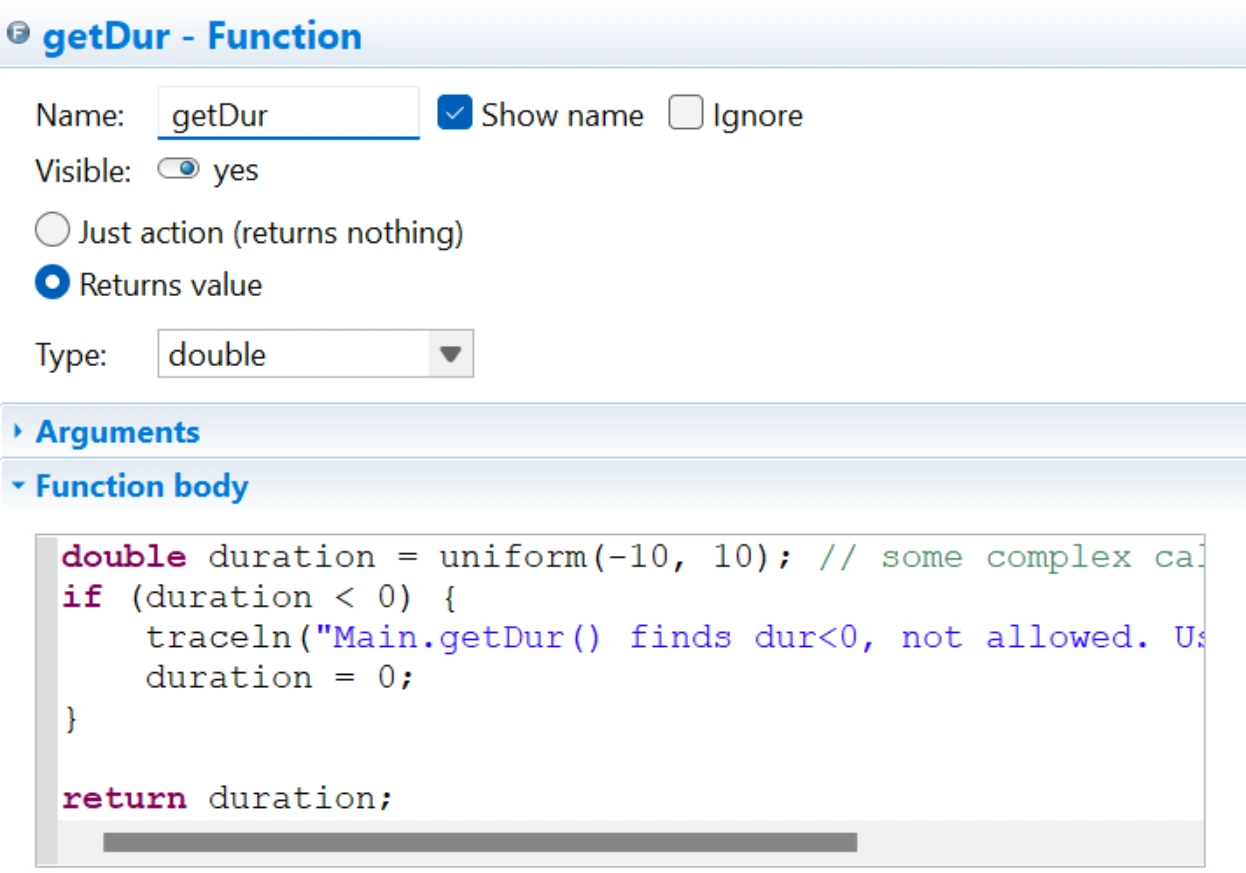
Modern computers handle such checks effortlessly, so there is no performance impact. The benefit, however, is visible. Sanity checks, as part of your simulation toolkit, act as guardrails that keep the simulation on track.
Create your own utilities
Let’s move on to some advanced-mode practices. As you build more models, you will begin to notice recurring tasks such as parameter validation, unit conversions, or logging helper functions.
Instead of rewriting this logic in every model, you can add these components to your simulation toolkit as reusable utilities. By storing them in a shared utility class with static functions, they can be accessed anywhere in the model with a single line of code.
Over time, these utilities reduce repeated coding and help enforce consistent simulation best practices across different projects.
Always work with clean data
Data preparation is one of the most challenging aspects of simulation modeling. Datasets can contain missing values, inconsistent formats, or unexpected inputs.
A robust simulation toolkit should include tools designed specifically for data handling. Instead of feeding raw data directly into the model, it is safer to introduce a dedicated layer that validates and cleans the data before it reaches the simulation logic. This layer is a safe area to:
- Import external datasets.
- Detect and correct invalid values.
- Convert raw inputs into structured objects.
By separating raw data from simulation logic, you can create more stable models and follow essential practices for data management.
Take it further with a custom library
Eventually, many experienced modelers decide to take their simulation toolkit one step further; they build a custom AnyLogic library.
Instead of copying utilities from project to project, the custom library becomes a centralized collection of reusable components. It may include debugging tools, validation frameworks, data handlers, and testing utilities. Once created, the library can be used in any new model.
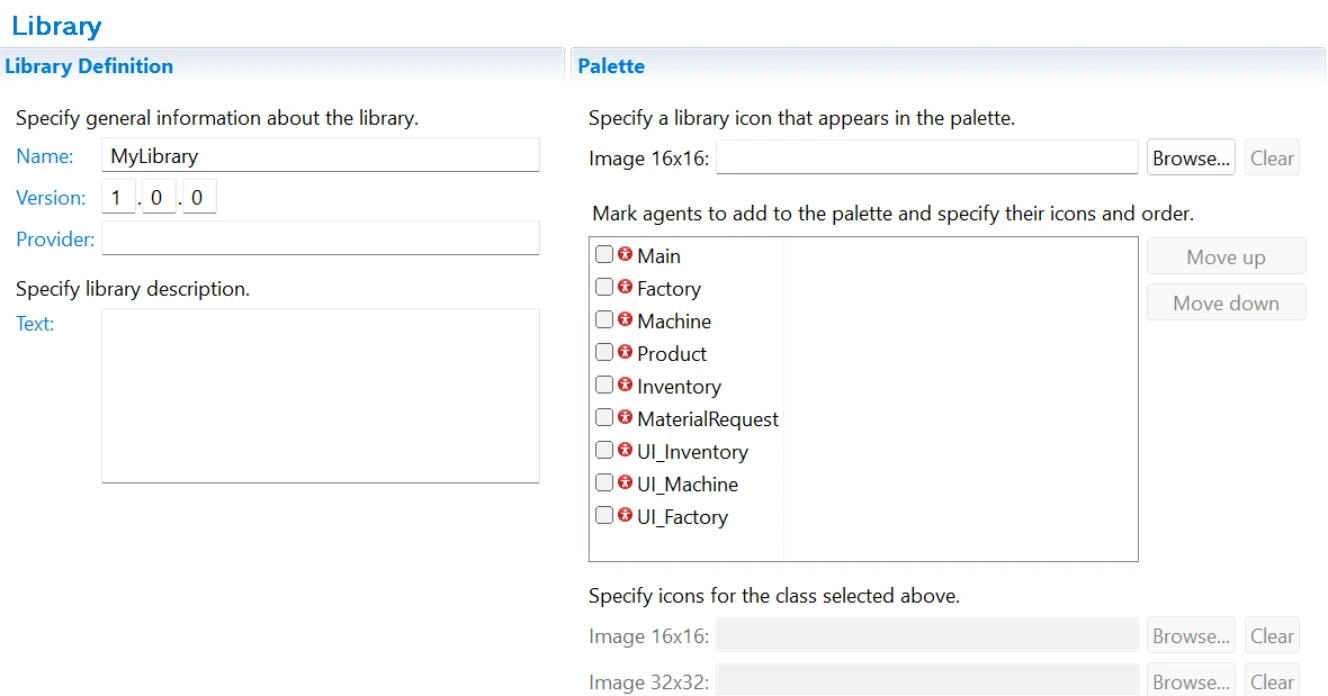
For teams working across multiple projects, this approach ensures that simulation best practices are applied consistently and helps reduce development time for future models.
Curious how real businesses benefit from custom libraries in AnyLogic? Read this blog post and see how Transnet National Ports Authority standardized capacity planning and achieved simulation at scale.
Watch the conference video for even more details on the creation of custom libraries in AnyLogic and all the tips from Ben for building your own simulation toolkit.
FAQ: Simulation toolkit and best practices for its creation
What is a simulation toolkit?
A simulation toolkit is a collection of reusable utilities that streamline simulation model development and enforce consistent modeling practices.
Why are simulation best practices important?
They help ensure models remain reliable, maintainable, and easy to understand. Such practices simplify debugging and improve collaboration between modelers.
What should be included in a simulation toolkit?
Typical components should include debugging helpers, validation checks, data handling tools, reusable utilities, and model templates.
When should a modeler build a simulation toolkit?
Many users begin building their toolkit naturally after completing several projects and noticing repeated tasks or recurring problems.
Model smarter, not harder
Developing your custom simulation toolkit is an evolving process. Over time, you start collecting small tools, patterns, and practices that fit your way of working. What begins as a few simple helpers gradually turns into a set of reusable building blocks tailored specifically to your needs.
Over time, your toolkit grows, and so does your efficiency. Instead of repeatedly solving the same problems, you rely on proven approaches that make your workflow smoother and more consistent. As a result, you create simulations that are easier to maintain and more reliable in the long run.
Now it’s your turn. Apply these ideas to your own models and improve your workflow. Download AnyLogic for free and start building your own simulation toolkit.