In the first half of 2026, the AnyLogic team released two product updates, both bringing valuable improvements. AnyLogic 8.9.8 improved stability and reliability across the platform by addressing a wide range of long-awaited issues. It also brought several small but useful enhancements, including programmatic control of the current model view zoom and easier legend creation for the Time Color Chart. For the complete list of improvements and fixes, see the AnyLogic 8.9.8 release notes.
AnyLogic 8.9.9 goes much further. Here, we introduce new tools for modeling industrial sites and warehouses, add more ways to inspect and analyze a model’s state, and deliver a major upgrade to 3D animation.
Contents:
- Material Handling improvements
- Features for advanced model analysis
- 3D graphics improvements
- Get the latest AnyLogic update
Transporter improvements: multiload transportation, tugger trains, and more
We know how important it is for industrial and warehouse models to reflect the way materials actually move. In real operations, transporters carry multiple loads, pull trailers, rotate at a specified speed, and work alongside automated storage systems.
AnyLogic 8.9.9 makes these processes easier to model with multiload transportation, tugger trains, improved rotation controls, and a new stacker crane element.
Multiload transportation
Modeling order picking and multiload transportation just got much simpler. Now all transporters from the Material Handling library can potentially be used to transport multiple items at a time, which allows a process like picking ordered items in carts to be easily modeled.
Simply set Max number of loads in TransporterFleet block to the desired number, and transporters will start collecting items entering SeizeTransporter or MoveByTransporter blocks. Items can be picked up from different locations and have different destinations.
The Prefer partially filled transporters option controls which transporter is assigned to a task:
- an idle transporter located;
- a transporter that is already performing pickup tasks.
Note: Pickup and delivery are currently separate processes and cannot be mixed.
You can also control the moment and the state of the transporter when delivery starts using Delivery starts when property. For example, Delivery starts when transporter is full keeps the transporter waiting until it reaches the maximum number of loads. Delivery starts after timeout starts delivery after the last pickup, even when the transporter is not yet full.
Tugger trains
AnyLogic 8.9.9 also introduces tugger trains, one of the most common types of multiload transportation vehicles. When the TransporterFleet → Tugger train option is enabled, the transporter pulls the serviced agents in trailers. The trailers follow the direction of the tugger and are recognized by other transporters in the model.
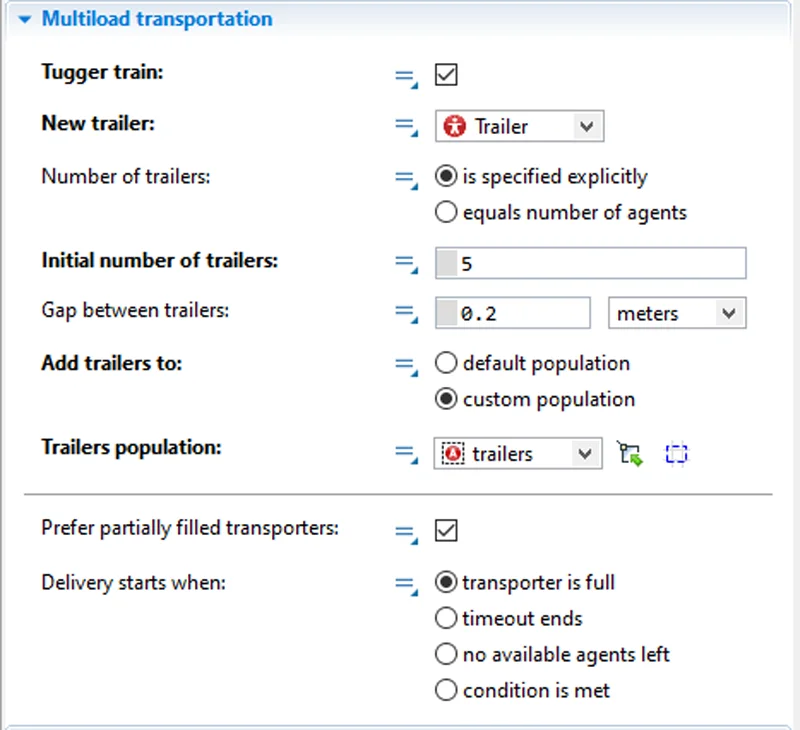
There are two types of tugger train configurations.
- With TransporterFleet → Number of trailers is defined explicitly; the model creates a fixed number of trailers at startup. This number does not depend on the number of agents being delivered, so some trailers may remain empty during pickup and delivery.
- With TransporterFleet → Number of trailers equals the number of loads; each load is placed in a trailer for delivery and detached together with the trailer at the target point.
You can customize the trailer’s appearance and related logic by defining the Agent type used as a trailer.
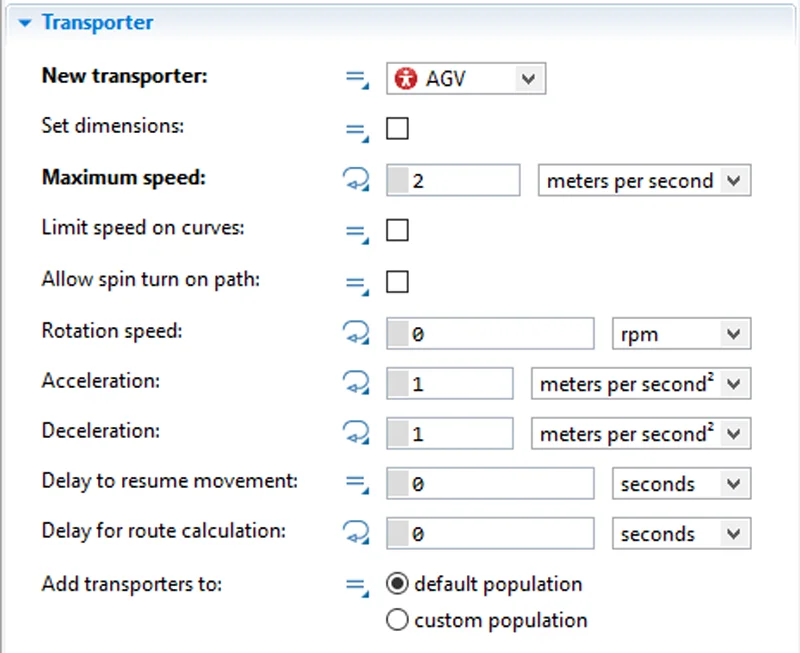
This release also includes several improvements to transporter rotation. By switching off the Rotate animation towards movement property in the transporter agent, you can keep the transporter’s initial orientation regardless of its current direction of movement. This makes it easier to model shuttles and transfer cars.
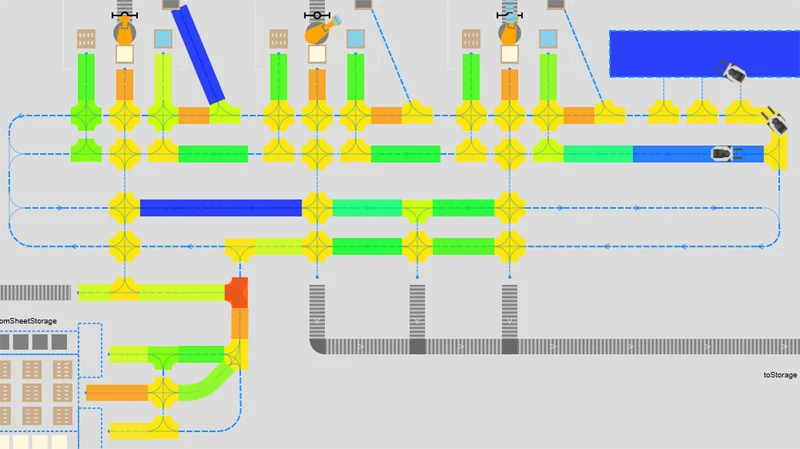
Path-guided transporters can now turn at an arbitrary point on a path when the Allow spin turn on path option is enabled. This removes the need to add multiple Point Nodes at critical turning points along long paths. The new Rotation speed property provides more precise control over the turning behavior.
Stacker crane
Another major Material Handling Library improvement is the new Stacker crane element, integrated with the Storage markup element. It helps simplify the creation of realistic warehouse models with automated storage and retrieval operations.
Select Storage is served with stacker crane in the Storage markup element, and AnyLogic will automatically create a stacker crane in each aisle between the racks. Special icons are displayed on the canvas, and the Stacker crane system properties let you specify where the input and output areas for the cranes are located.
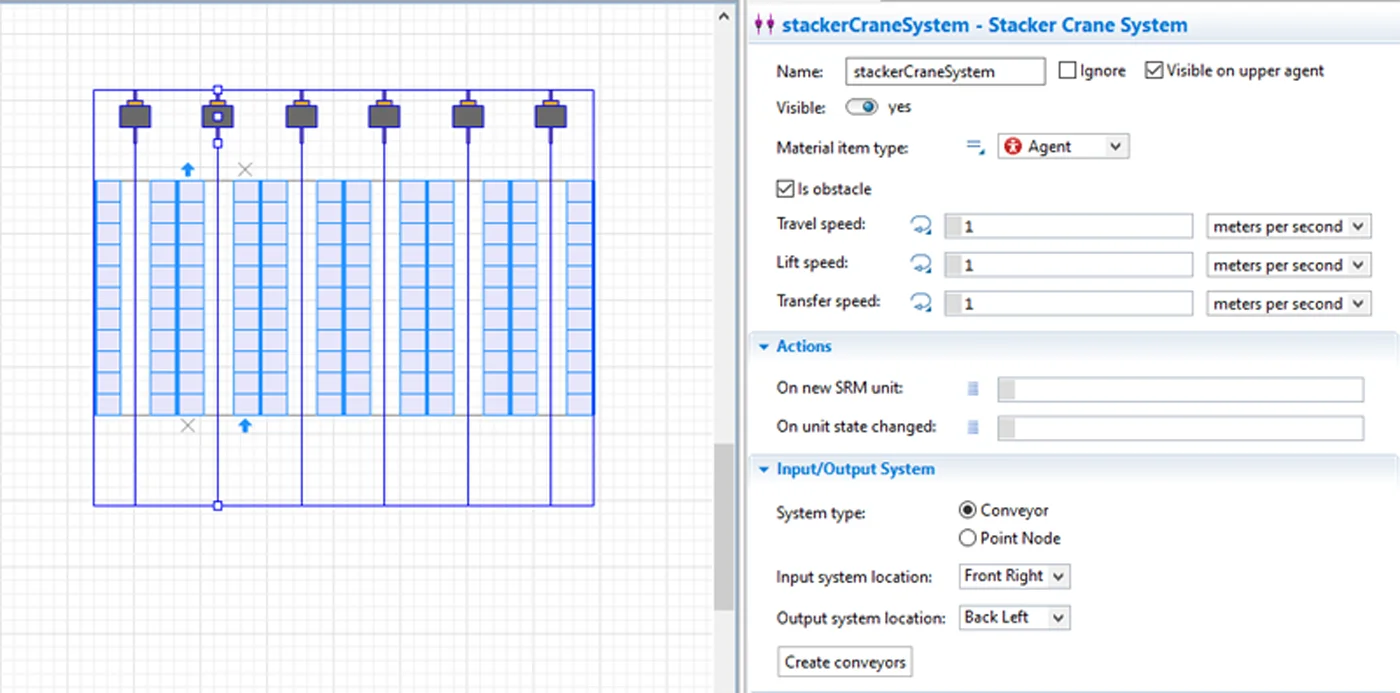
For layouts with many input/output stations, you can generate the required conveyors or point nodes automatically. Use the Input/Output System section and click the Create nodes/conveyors button. Stacker cranes located in the same Storage share settings such as speed and the locations of input/output stations.
To handle an agent arriving at Storage with a stacker crane, select Agent move by SRM in the Store block. The stacker crane closest to the agent will then be selected automatically for the storing operation. Because stacker cranes cannot change aisles, only cells on the racks next to the crane’s aisle can be selected for storage.
When Agent move by SRM is selected in the Retrieve block, the closest stacker crane is automatically assigned to the retrieval task and moves the agent to the nearest output station. When several nodes or conveyors are located in the output station associated with the stacker crane, you can also specify the exact one where the agent should be delivered.
Features for advanced model analysis
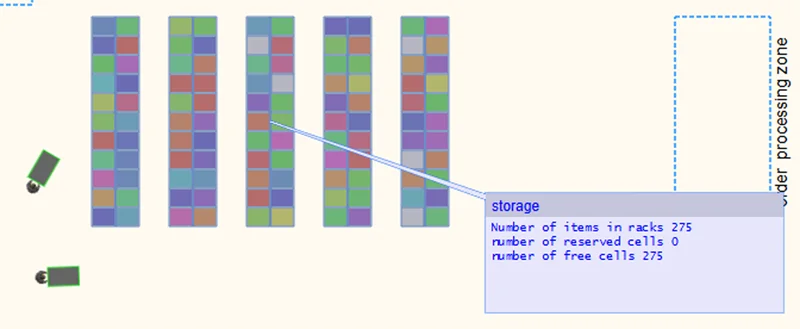
For a long time Anylogic has provided inspection windows that open when you click on a block. Such windows show the current state of the block (i.e., the number of agents being processed or task request list), which is extremely useful for process analysis and model debugging.
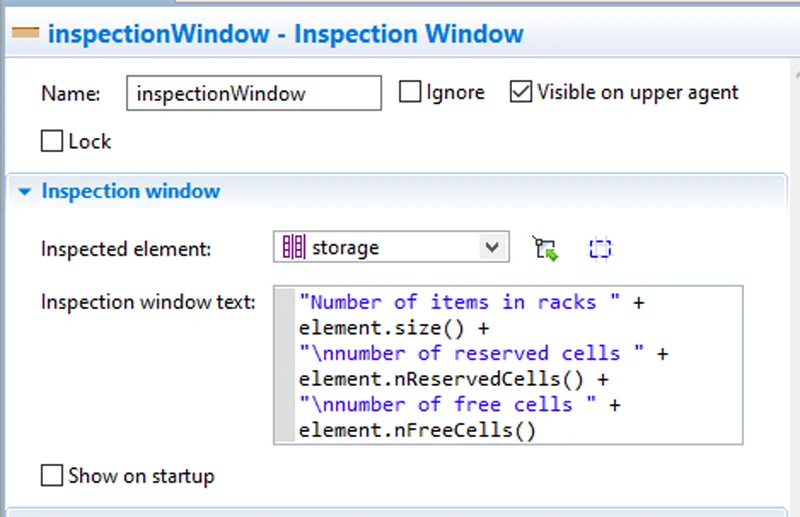
In version 8.9.9, we extended this functionality. Now, it is a fully customizable inspection window from the Presentation palette. You can link the window to any object in the model and display any data you define. You can also set where it appears and customize its colors to match the overall model design.
The density map element has also been updated to support deeper process analysis. It now accumulates movement statistics across different networks, making it easier to identify which paths are used most intensively in railyards, transporter networks, and abstract agents’ networks.
3D graphics improvements
The current version comes with a big update of 3D graphical elements. The new features include shadows, improved lights, a skybox, and a large number of new 3D figures.
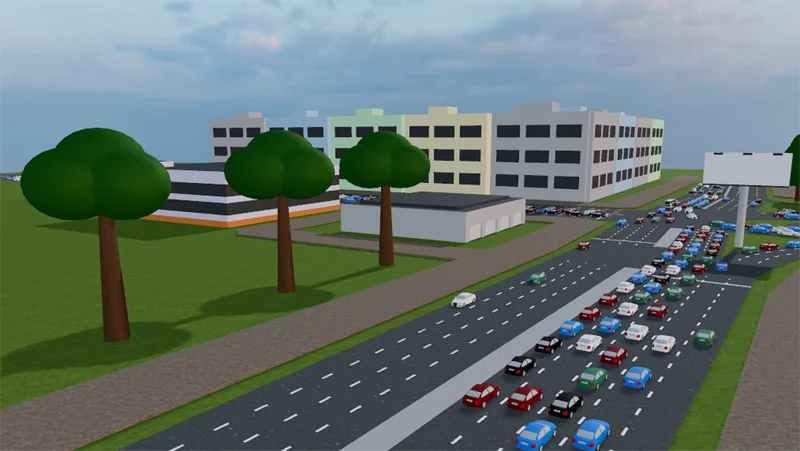
A skybox can be added in 3D window properties to create vast, realistic backgrounds. You can select one of the skyboxes suggested by AnyLogic in the 3D Window object or upload your own custom skybox.
In the model runtime window, you can now find the different levels of quality for graphics. Select Low quality when you need your model to work faster during the development process, or select High quality when you demonstrate the same model to decision makers.
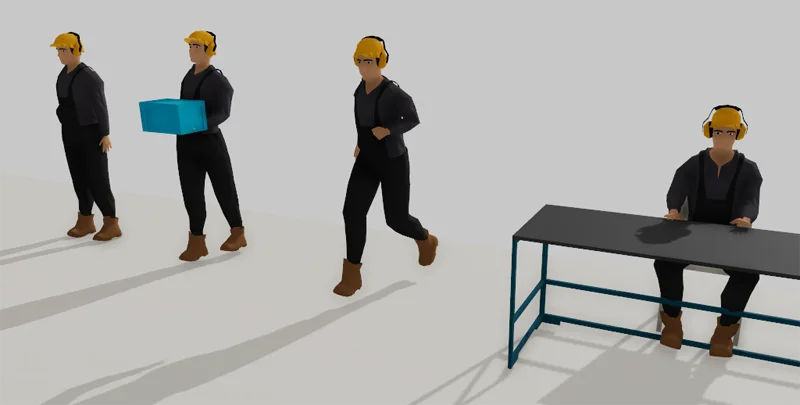
Version 8.9.9 also adds many new 3D figures representing people, grouped by profession in several sections of the 3D figures palette. The figures support poses that can be changed at runtime using API.
For example, you can use the “carry” pose while an operator is transporting an item and switch to “sit_desk” when the operator is working at a desk. These visual states make the animation more realistic and help viewers understand which process an agent is currently involved in simply by looking at the 3D model.
To get even more detailed graphics, learn more about AnyLogic visualization capabilities with NVIDIA Omniverse.
Get the latest AnyLogic update
AnyLogic 8.9.9 brings plenty to explore: multiload transportation, tugger trains, the new Stacker crane element, smarter inspection tools, and more realistic 3D graphics. Together, these updates make industrial and warehouse models easier to build, understand, and present.
Want the full technical picture? The AnyLogic 8.9.9 release notes cover all new features, improvements, API updates, and bug fixes.
Ready to put the new tools to work?