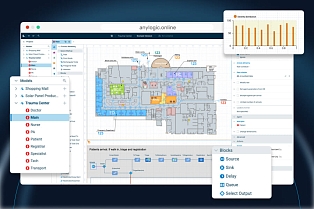
Following the release of AnyLogic Online, which enables complete browser-based modeling, AnyLogic 8.9.10 introduces new features designed to further streamline the modeling process.
Responding to tech trends, we are introducing the AnyLogic AI Assistant. In addition, we have updated and enhanced several existing and widely used features, such as schedule, templates, and transporters.
Let's take a closer look at what is now available in AnyLogic 8.9.10.
Contents:
- Built-in AI Assistant
- Modernized Schedule element
- Predefined templates
- 2D Animation order update
- Minor improvements for transporters
- Get the latest AnyLogic update
AI Assistant to solve the blank canvas problem and more
What if the model could be created just by writing a simple prompt to an LLM? This question has captured the minds of many modelers over the last few years.
As a preliminary answer, we are pleased to introduce the AnyLogic AI Assistant, which can already build simple models from a vague description of the process. Although the AI Assistant creates a model that is more like an initial draft of the real one, it is ready to run and can be modified and enhanced by the user.
Draft models are especially useful for new users who are unfamiliar with AnyLogic flowcharts and other functionality. They can also be used at the conceptualizing stage when it may be difficult to find the right starting point for modeling a complex process.
Though building the model may be the most impressive feature of the AI Assistant, you can use it in many other ways. For example, you can ask it to describe the structure of a complex model that consists of dozens of agents and thousands of elements.
The AI Assistant is also extremely helpful in suggesting further model improvements, whether it is gathering suitable statistics, building charts, or making changes in the flowchart that allow you to model the real process more precisely.
What's more, it can be used in troubleshooting by explaining the errors that occur in a model and finding all places where a certain parameter or function is used.
Working with the AnyLogic AI Assistant
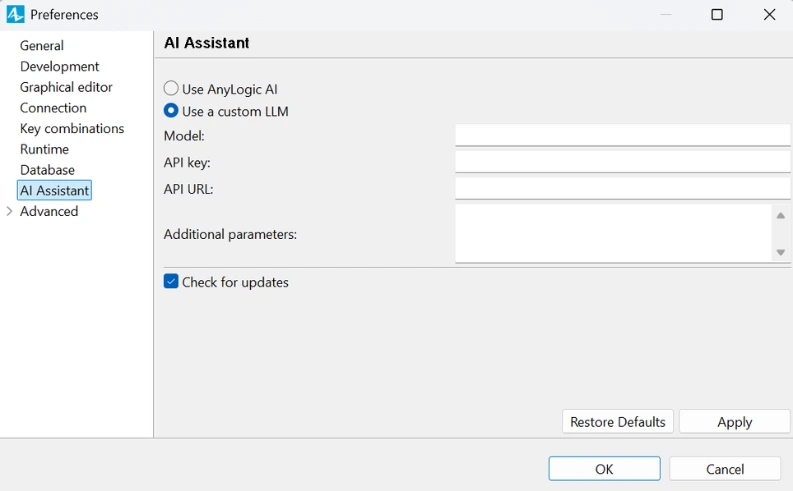
Now you can try all these features for free by connecting to the AnyLogic AI Assistant and using the limited number of tokens. An AnyLogic Online (former AnyLogic Cloud) account is required to see the number of tokens used. You can also connect the AI Assistant to one of the commonly used LLMs (e.g., ChatGPT, Gemini, or Claude) or even to an LLM deployed within your private network by using an API key.
The AI Assistant was officially presented at the AnyLogic Conference 2026. Watch the video recording to find out more.
Modernized Schedule element
The Schedule element, which lets you set various schedules and timetables, has existed in AnyLogic since its earliest versions. In AnyLogic 8.9.10, we fully remastered it to fit the current modeling workflow.
Now, instead of finding the right combination of parameters, you can simply select the option that best suits your case. For example:
- Choose Defines availability to set the time when resources are available.
- Opt for Defines capacity when you need to specify how many resources work in a particular period of time.
It has also become much easier to set schedules for common recurring periods that repeat on specific days of the week. At the same time, you can still set complicated recurring periods using the custom schedule option. All types of schedules can also be loaded from the database.
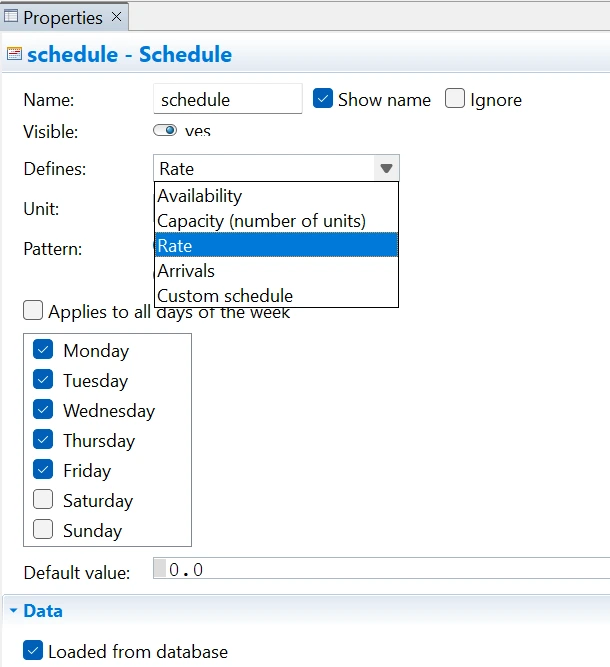
One more significant change is the possibility to set the value returned by the schedule as a parameter or function. This allows you to create parameterized schedules that may vary from one simulation scenario to another. It is also useful for cases when the value differs day to day and therefore is represented by a distribution rather than a fixed value.
Predefined templates
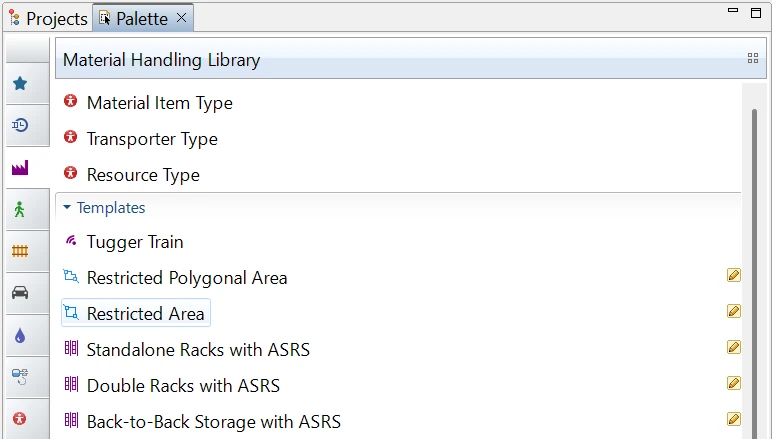
To make frequently modeled objects such as tugger trains, stacker cranes, and sloped areas easier to find and use, version 8.9.10 introduces them as predefined templates. Now instead of searching for the option that turns a transporter into a tugger train or adds a slope to the node, you can simply add them to your model from the palette and set only characteristics that are specific to your project.
2D animation order improvements
Historically, 2D objects during design time were presented in the order they were added to the model. Now this arrangement is more obvious and easier to adjust, since it reflects the structure shown in the Model Tree view. The higher the object is in the list, the higher it is in the 2D view. You can also modify the order of elements by dragging them into a model tree.
One more change, related to multi-level models, is that the agents created during the runtime (i.e., pedestrians) in 2D view are now placed on the level where they were created or where they are currently moving (rather than where their agent presentation was located initially).
Object hierarchy in the Model Tree and in the 2D view
Minor improvements for transporters
In this release we also enhanced the transporters' capabilities by adding the following features:
- Finding the fastest route with consideration of the speed limitations that exist in certain parts of the network and the time that it takes for transporters to turn on the intersections.
- Starting delivery immediately after startDelivery() command is called.
- Adding custom behavior when the collision resolution has started.
- And more.
Take your simulation modeling to the next level
AnyLogic 8.9.10 has a lot to explore, and we hope that new features will make your day-to-day work even easier and more efficient.
Want to get even more details? Check the release notes.
And, of course, download the latest version to try everything firsthand.