Since our previous blog post about the AnyLogic Cloud 2.5.3 release in May 2025, we have released both the Private Cloud and SaaS version 2.5.4 and SaaS-only versions 2.5.5, 2.5.6, 2.5.7, and 2.5.8. The time between releases has dramatically reduced, so we can deliver new features, improvements, and bug fixes to our clients faster than ever.
In this post we highlight the recent changes added in the 2.5.4–2.5.8 releases. Soon we are going to release a major update for Private Cloud in version 2.6.0; it will include all changes from previous SaaS-only releases.
The releases bring significant improvements in model search, a new tabular My models view, and customization capabilities of Private Cloud with customizable model categories.
Contents:
- Smarter search
- Redesigned My models view
- Сustom model categories in Private Cloud
- Discover the new features today
Smarter search
We’ve brought several significant improvements to the model search.
- Find what you need faster, even with typos.
The new similarity-based search delivers more relevant results for your query, even if you misspell a word or change the word order. Results are automatically sorted by relevance, helping you quickly locate the right model. You can still switch to other sorting options when you want to explore further. - Get broader results when searching by category.
When you search within a specific model category, AnyLogic Cloud now also shows relevant models from other categories, listed just after the main results. This means you’ll still find what you need—even if you chose the wrong category or a model wasn’t categorized correctly. - See the results at a glance. Each search now displays the total number of models found, giving you instant feedback on how broad or narrow your search results are.
Let’s take a closer look at the improvements using “aitport” search text in the Transportation and Logistics category, where we have a typo. The search results are as follows.
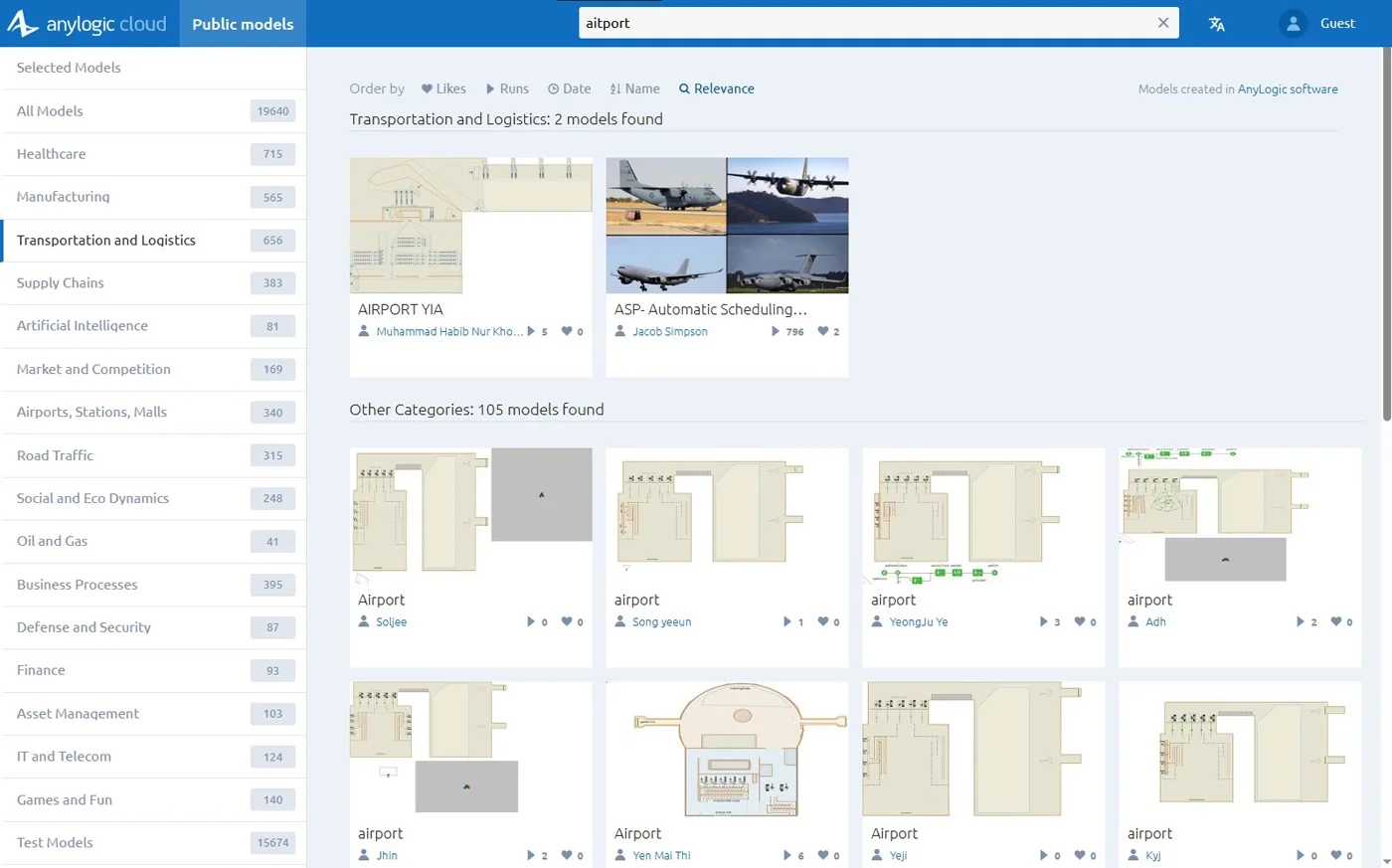
There are 2 results in the selected category and 105 results in other categories, although none of them contain the exact word “aitport”.
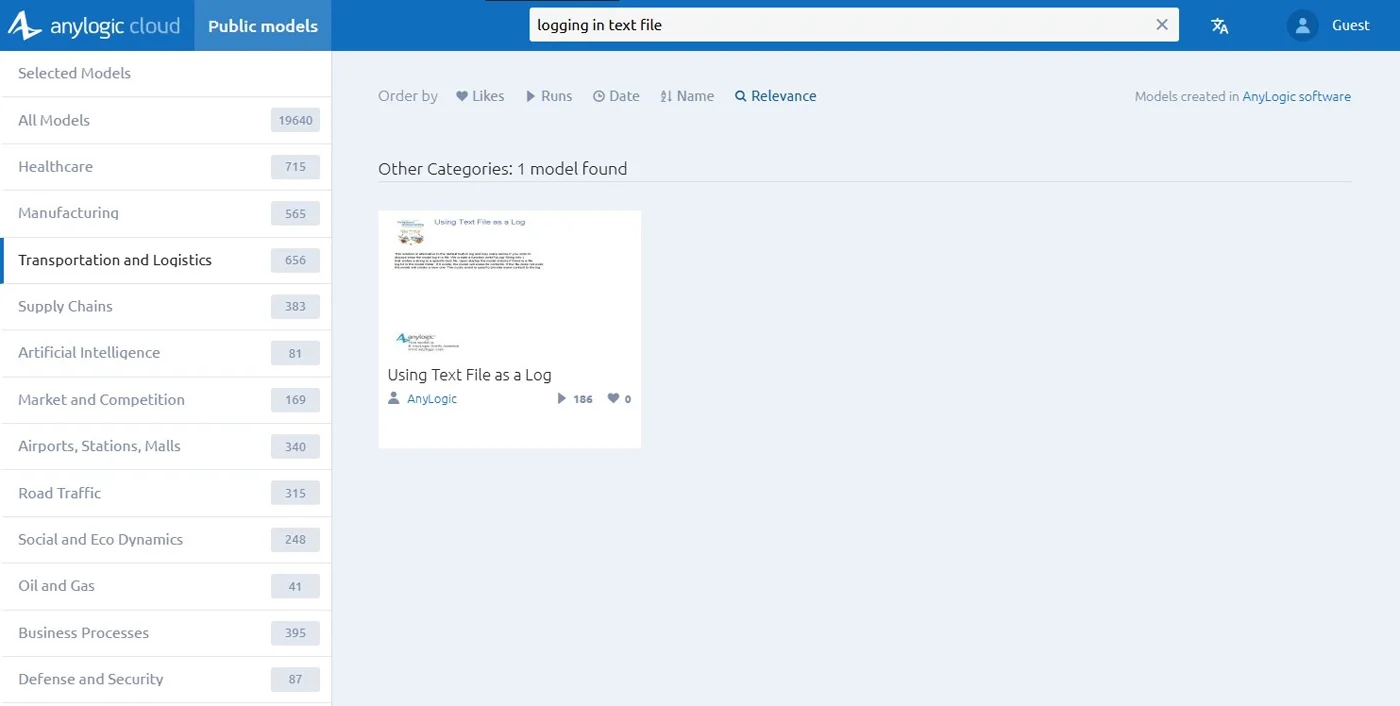
Another example: searching “logging in text file” will find a model showing how to use a text file as a model log.
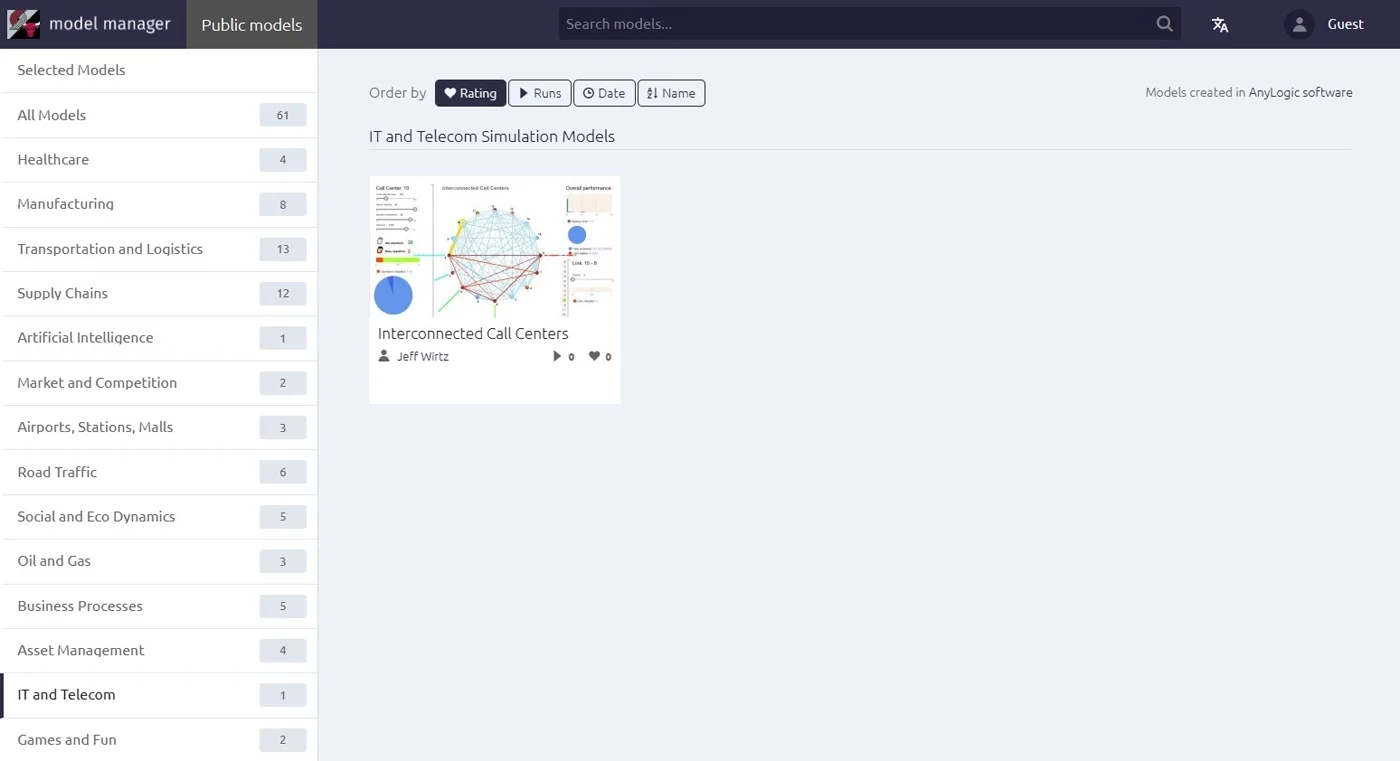
The new model search is applied not only for Public models view but also for My models view. Since the latter one has been significantly redesigned, let’s check all the changes in the My models view, including the improved search feature.
Redesigned My models view
Since we opened AnyLogic 9 Technology Preview for everyone, the My models view has become the central hub and starting point for Cloud users. From the view you may perform various actions: edit the model, open the experiments, etc. The view is designed in the same way as the Public models view, which is not convenient for managing your own models.
Here, obvious design references are File Explorer on Windows, Finder on Mac, etc.
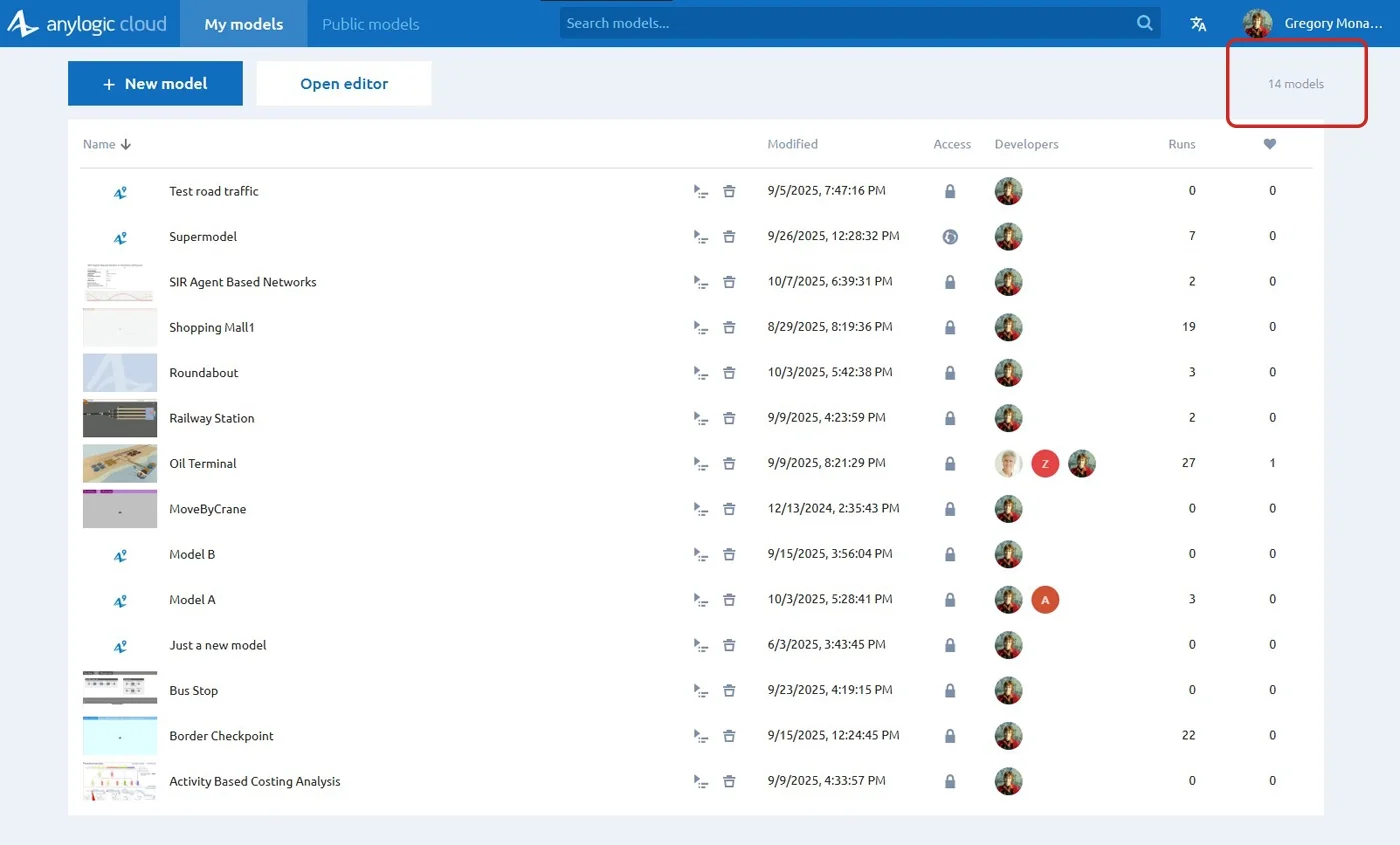
The new tabular view lets you:
- Work with more models at once.
- See more details (last modified date, developers, number of runs, likes, etc.).
- Quickly access buttons to open the editor or create new models.
When hovering over a row, you may open the experiment dashboard and edit or delete the model.
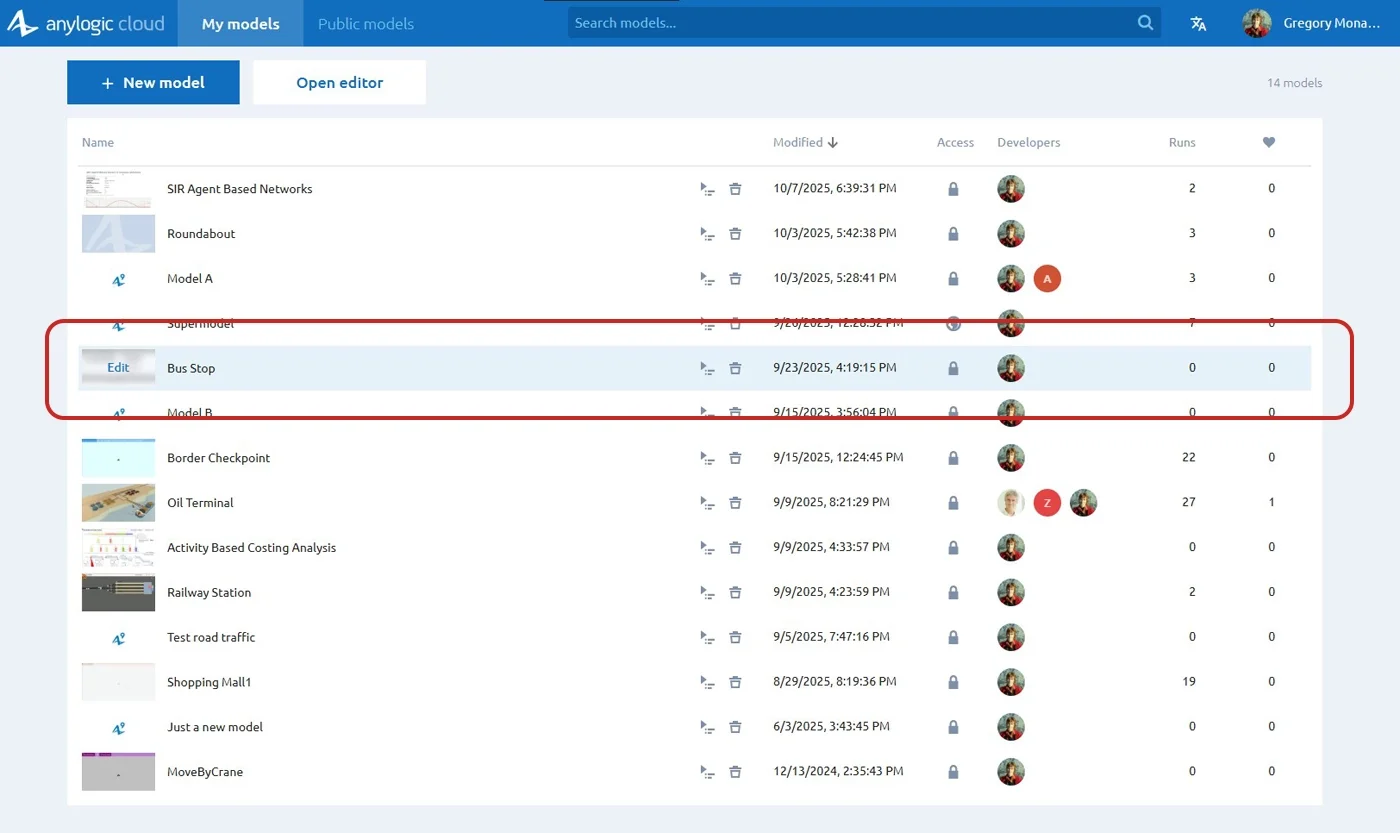
By default, the table is sorted by the Modified column, so you see the newest models on top. You may sort the table by the Name, Runs, and Likes columns.
Note: When you search within My models, sorting by relevance is applied by default. You may sort the results using the table columns. In the case of default sorting by relevance, there are no arrow icons in the table’s columns.
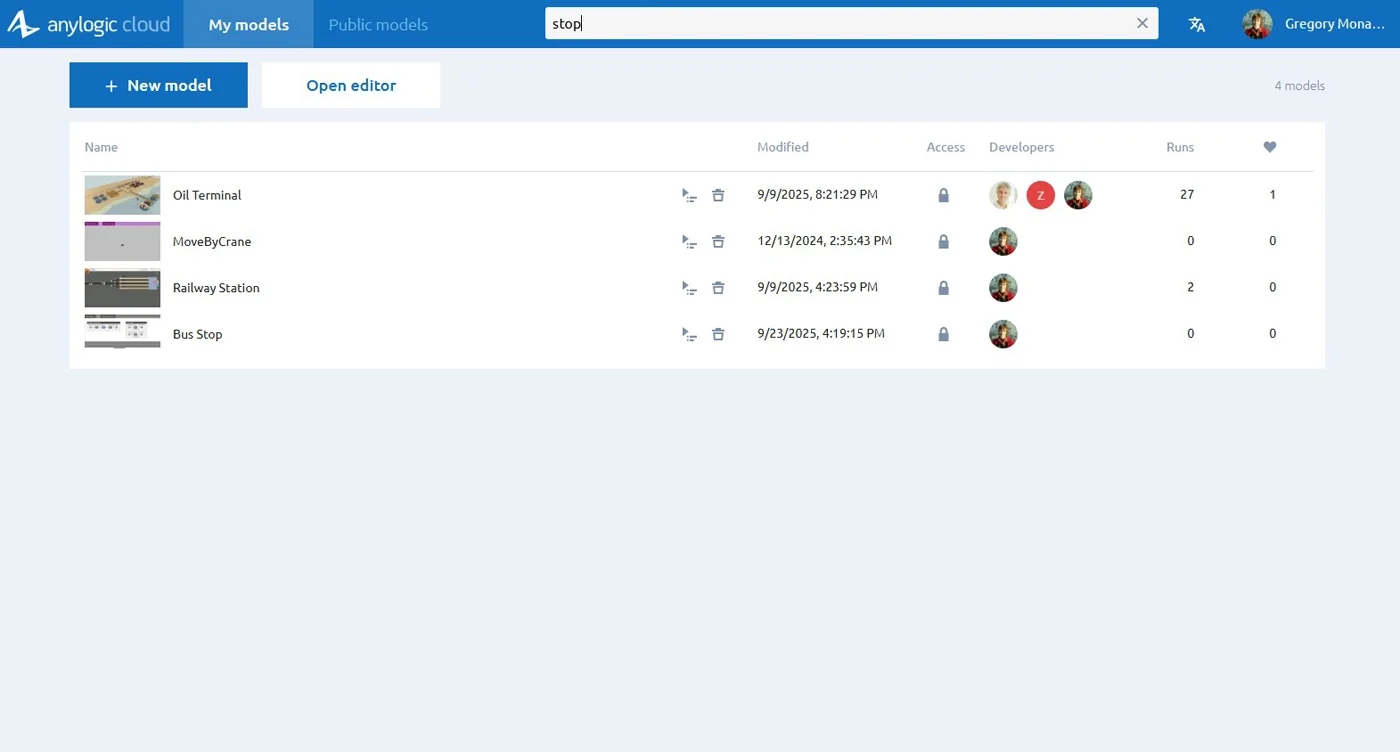
We hope the new design helps you quickly find, organize, and manage your models so you can focus on creating, not searching.
Сustom model categories in Private Cloud
Private Cloud administrators know the product is shipped with built-in categories for public models, similar to cloud.anylogic.com. Prior to version 2.5.4, administrators could change the logo, title, and color scheme, but not the categories.
Since AnyLogic Cloud 2.5.4, you may customize the categories as well using the Admin Panel. Go to Customization, then open the Public categories tab.
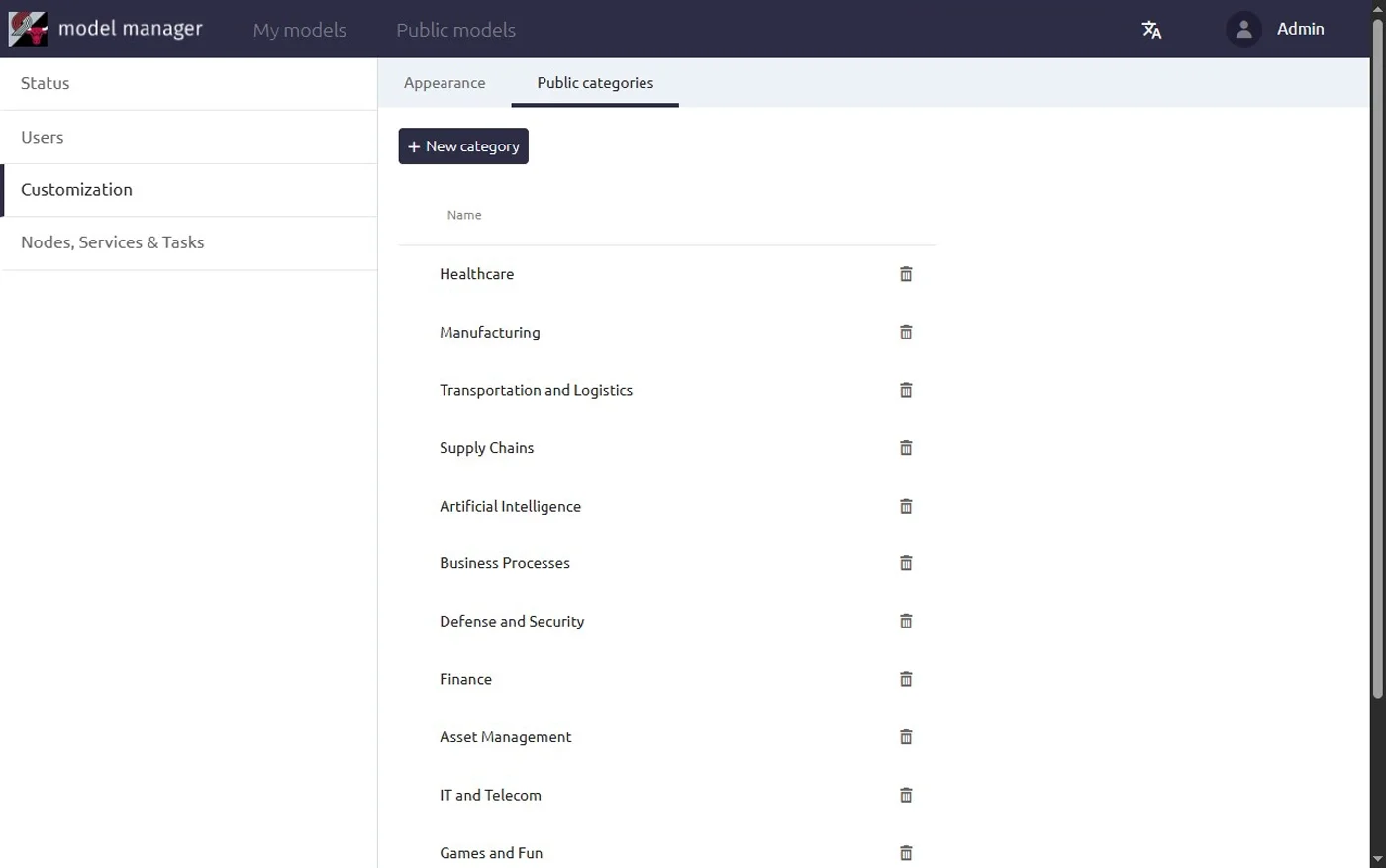
In this tab, you may rename, delete, create new categories, and of course, change their order.
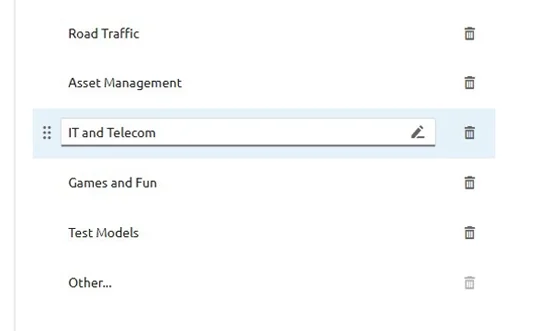
There is a special “Other…” category, which cannot be deleted but can be renamed. All models without a category are placed in this one.
This new feature allows you to organize categories around your business domains or modeling priorities.
Discover the new features today
The AnyLogic Cloud 2.5.4–2.5.8 releases bring major improvements in both functionality and user experience. With the new model search, redesigned My models view, and custom model categories, it’s easier than ever to discover models of other users, manage your own, and categorize models in Private Cloud. Whether you're using SaaS or Private Cloud, these releases will help you push the boundaries of what's possible.
Start exploring the new versions now and take full advantage of the powerful features AnyLogic Cloud has to offer.